5 of the Best Apps Every Digital Artist Should Know in 2025
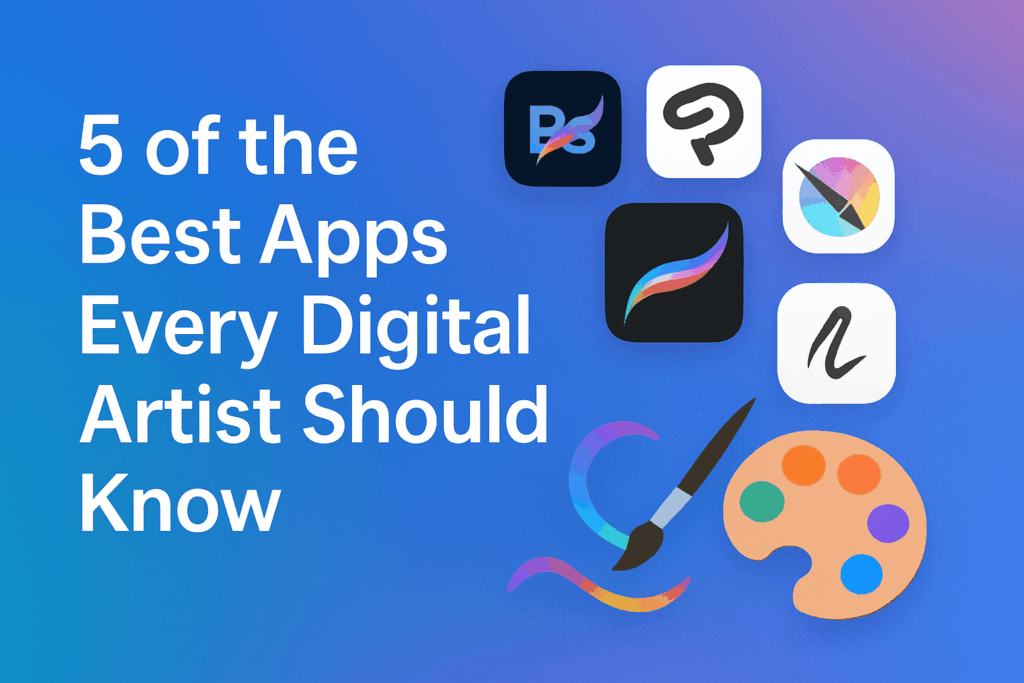
What really is the difference between a good digital artist and a great one? Well it can often come down to the tools they use to create their art. Two artists with similar talent levels can produce different results simply because one has access to better apps and knows how to use them more effectively. Think of a rookie photographer and a professional one with the dual harness, pocket full of lens filters and a huge online following, their camera gear and editing software will play a part in how the ultimate image looks. It’s similar to graphic designers and the range of softwares and tools available to them.
Digital artists are in high demand across many industries in India, such as the world of digital marketing and advertising, film, and the gaming industry. They are often hired to help create promotional graphics for businesses and entertainment platforms, like AskGamblers IN, and design captivating visual experiences for online casino websites in India.
As you may expect, competition is growing in the field, so having the right tools gives each artist an edge over their peers and competitors. In our opinion, here are the top five essential apps that every digital artist in India should master (or at least consider) in 2025.
Table of Contents
Adobe Photoshop
Adobe Photoshop is the industry standard that never ages, but it does evolve over time with its users. Photoshop would wear the crown if digital art had royalty. The app has, over the years, been the foundation of digital art creativity, and guess what? It remains indispensable in 2025, even among web designers.
One of the main reasons digital artists enjoy Photoshop is its extensive range of brush options. The default brushes are quite basic, but there are thousands of custom brushes available online. Artists can also make their own and build a large variety to suit different styles of art. The app also includes strong tools to blend and adjust colours. The Liquify tool is particularly useful for artists who want to fix parts of a sketch with minimal effort.
Photoshop is also well-known for its frequent updates and addition of all the up-to-date technological features. Some recent updates are the AI-powered tools like Generative Fill and Generative Expands, which are a part of Adobe Firefly. These features might not be for everyone, especially those who believe Gen-AI should stay out of graphic design work, but some artists will find them helpful for creative projects. They’re mostly used to expand existing images and add in details that never existed on the original file – great for marketing and even social media posts.
There are also many Photoshop plugins that can improve the software’s performance and help artists to work even more efficiently. Photoshop has to be a key software to have for creatives in India who want to excel at the highest level possible.
Procreate
Procreate is the top choice for digital artists who want to draw or paint on their iPads. It doesn’t match Photoshop’s extensive toolkit and versatility, but it still offers some excellent brush options and an easy to use interface that’s built a devoted artist community over the years. Ever see a tattoo artist creating a design on their iPad to then print it out as a stencil? That was likely doodled up on Procreate.
The app works well for digital painting and illustration projects aiming for realistic results, thought its less suited to graphic design work. Artists can create complex compositions using multiple layers and the software features masking tools and various blending options. The layer system may not be quite as flexible as Photoshops, but it does give enough functionality for project planning and client revisions. Elements can be easily repositioned and modified based on feedback. An important thing for freelance graphic designers working in these industries.
The text editing features add valuable creative options to the software. Recent updates have introduced 3D painting capabilities, which proved impressive during our evaluation of the newest release.
Clip Studio Paint
For comic, manga, or detailed illustration, your go-to app is the Clip Studio Paint. Originally it was created for Japanese manga artists but the app has grown into a global favourite for both professionals and hobbyists.
CSP combines both vector and raster drawing (images just built from pixels) in a unified interface, basically this means that you can paint like an illustrator and edit like a designer. Another unique feature of the CSP is the pen stabilisation feature, which creates clean and expressive lines. Perspective rulers and 3D model posing also help save time.
Krita
Krita has been around since 2004 and remains one of the most underrated tools for digital artists. It offers an impressive range of brushes and tools for artwork and illustration, like pencils, chalk, watercolour, charcoal, rollers, bristles, painting knives, and technical pens.
Artists can import custom brushes and textures or design their own to share with others and the brush stabiliser feature is especially helpful for creating smooth and clean lines. There are also many ways to adjust brushes, and the layer system works efficiently for those more complex projects.
Krita can handle basic graphic design and photo editing, though it is not as advanced in this area as Photoshop which we mentioned above. Tools for retouching and blending are solid, but they don’t match Adobe’s speed or precision. For instance, its Smart Patch Tool works more slowly and does give slightly softer results compared to PS’s Healing Brush.
AI tools are not built directly into the program, but plugin support has grown quickly. Some plugins now allow for AI-based image generation and content-aware editing, using systems like Stable Diffusion or Flux. But unlike Adobe’s approach, these external tools don’t guarantee that artists are credited or rewarded if their work is used for AI training, something that may not sit well with artists.
Rebelle
Our fifth and final option Rebelle should be the go-to choice for artists who prefer to create on a desktop instead of an iPad. It is an excellent software that is fairly easy to learn through experimentation, and there are plenty of helpful tutorials available on YouTube and the official website. The only challenge arises when artists use the Pro version on older computers (as its realistic paint simulation tools require a powerful system). At least 16GB of RAM and a good processor are recommended for smooth
Escape Motions has released its latest version (Rebelle 8), and it brings more than 40 new features. The previous version (Rebelle 7) already offered over 240 brush presets and realistic paper and canvas textures. The Pro version stood out for its accurate mimicry of traditional paint techniques. Artists could create watercolour effects with natural edge bleeds and dripping when titling their tablet, as well as thicker textures like acrylic or oil paints.
Rebelle 7 is also fairly reasonably priced compared to other professional painting tools like Corel Painter. The standard version costs around $89.99, while the Pro version costs about $149.99 and includes some extra features like metallic pains and pigment-based colour mixing.
Which One Should You Choose?
Digital artists can unlock the true power and potential of these creative softwares and apps when they learn to use them together in their workflow. Many successful digital artists in 2025 switch between multiple programs as needed on the project stage. Even more accessible and ‘simpler’ apps like Canva have their place in different fields like digital marketing and advertising. Seasoned artists might sketch initial concepts in Procreate and finalise in Photoshop. The key is to recognise that each tool has its own personality, strength and limits.