Canva App: 5 Features You Didn’t Know About
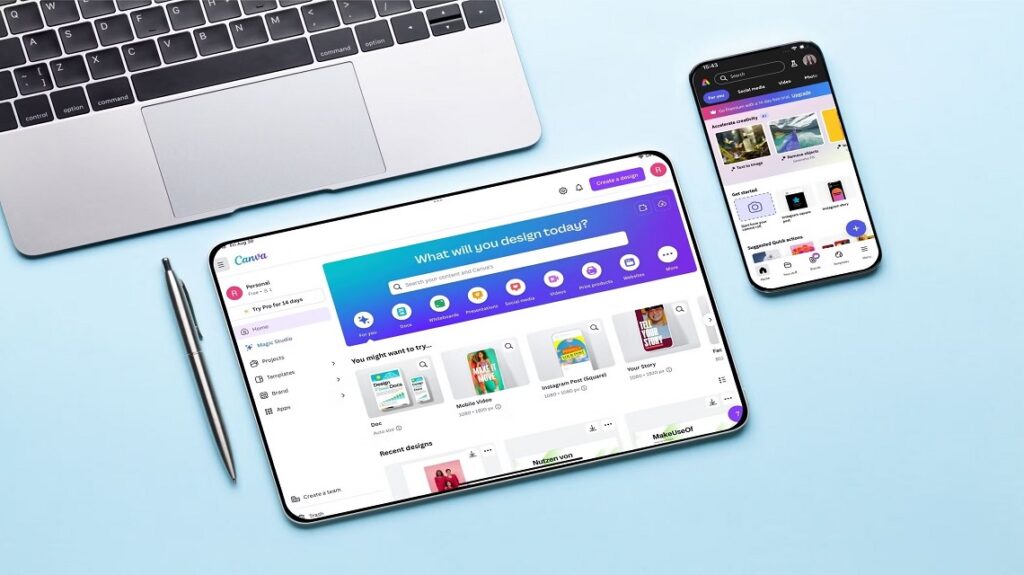
In the world, Canva is becoming one of popular design tools used by millions of people nowadays. Canva is a one-stop solution for social media posts, creating presentations, marketing materials, infographics, and even videos. Anyone can design anything in Canva; you don’t need a professional degree for this.
Most of the users are just familiar with some of the basic Canva features, such as drag and drop, free elements, and pre-designed templates. There are so many features that most of the users are missing out on, that are in front of you, but you may not have that much knowledge. All these tools that you are unaware of can change the experience for you in Canva and will dramatically improve your workforce. All this helps in saving time and giving the best output.
Below, we will explore the top 5 features you don’t know about Canva, so tighten your seatbelt to know more:
Table of Contents
1. Canva’s Magic Studio (AI-Powered Tools)
For most of the years, Canva was known for its template-driven tools. When this feature of Magic Studio was introduced in Canva, it could combine creativity with AI automatically. This plays an important role in creators and businesses as they require a large volume of content without compromising on quality.
- Magic Writer: This is an AI-powered copywriting tool that helps in drafting any social media content, blog posts, scripts, and product-related descriptions all in one platform.
- Magic Design: here you just need to upload some image or some keywords, and then Canva is there to come up with full templates for presentation, social media post, posters, etc.
- Magic Edit: you can easily replace an object in your image, such as if in an image there is a cup of coffee, you can replace it with a glass of juice in just a few clicks.
- Magic Eraser: If you want to remove a certain object from an image, then in Canva, you just have to select it, and Canva’s AI removes it seamlessly. This will help in removing any unwanted objects from your image without visiting Photoshop.
- Text to Image: You need to type the description, and then Canva is there to generate an original artwork for you.
2. Brand Hub
For any business, branding plays an important role. With the help of Canva Brand Hub, you don’t need to put the brand colors, logo, or font manually. This helps business owners to be consistent with the visual content in marketing campaigns and across social media.
- Brand Guidelines: In Canva, you will get a proper brand guideline that you can easily share with all your clients, team members, and this helps in maintaining the brand design consistency.
- Instant Branding: When you provide the brand logo in Canva, you will get suggestions from the application itself according to the color pattern of the logo. This can lead to a consistent brand identity in just seconds.
- Multiple Brand Kits: It’s very easy for the creator to manage multiple clients, as different accounts can be created for each client.
3. Canva Whiteboards and Collaboration Tools
You don’t need a different platform to communicate with your team or make updates. Just like in Canva, you can easily share work with clients in real time, get team suggestions, and make changes.
- Pre-made Templates: You will get all the required tools from SWORT analyses to flowcharts for your business team.
- Real-time Collaboration: The team can easily join the same platform can comment, add notes, and even edit simultaneously.
4. Advanced Animation and Video Editing
You may have used so many applications just to edit the videos that you need to post on social media or any other page. Now you can simply edit all your videos in Canva only.
- Animate Elements: You can easily use a variety of motion effects such as “rise”, “pan”, “breathe”, and you can even add animation to the video and customize it as per your needs.
- Timeline Editing: You can easily cut clips from the timeline, add music, and put transitions in the video with the help of Canva.
- Instant Animation: You can easily convert a static design into an animated video in just a few clicks for your social media reels, shorts, etc.
- Stock Video Library: For making any video stand out, you can use all the free clips in Canva for free.
5. Presentation with Data Integration
as most of the users know that Canva is also used for presentation, but now it is beyond that, as it can give competition to brands like Google Docs:
- Embedded Visuals: You have mostly worked in words more, but you may not know that Canva allows you to drop in chat, designs, and infographic elements easily.
- Collaboration: Just like Google Docs, you can even edit and multiple people can work in real time.
- Dock to Decks: With just a click, you can convert the Canva docs to an outstandingly designed presentation
- Canva Assistant: as you can see a built-in AI in Canva which helps in checking grammar, writing, and even provides ideas which can make your content look more professional.
- Smart Charts and Data Visualization: In Canva, you can easily convert data into a graph or chart by just importing the data from Excel or a Google sheet in no time.
You may have seen the Canva marketing as they show that they are “empowering the world to design,” but as time passes, Canva is becoming more than just a platform for design and is becoming an all-in-one productivity and creative hub. All the above features can help different types of users such as freelancers & agencies, students & educators, content creators, small businesses, and cooperate teams.
Conclusion:
Canvas is experiencing phenomenal growth and success due to its constant innovation. People often see Canva as just an app for posting on social media, but the reality is that it is expanding rapidly, now offering a suite of productivity tools for collaboration and an AI-driven platform for designs.
The five features we explored are: advanced editing for animation and video, whiteboards, data-integrated docs, a hub for brands, and Magic Studio. Once you start experimenting with these tools, you’ll realize that making design easy is not the only purpose of Canvas; it also plays a major role in transforming how teams and individuals create, communicate, and collaborate.
A key suggestion is to go beyond just using templates when opening the Canvas app. Explore these features in your workflow to unlock a variety of creative possibilities you may have never imagined.