Making Mobile Apps Feel Fun Again: Why Gamified UI Really Works
Most of the mobile apps in today’s time are built to be functional. You open them, tap around, maybe complete a task, & then move on. They serve their purpose well most of the times. But do they leave you smiling or feeling connected? Not often.
That is because several apps are designed just to get the job done and not to give you an overall delightful experience. They take you from point A to point B, but the experience along the way can often feel flat or uninspiring.
And this is where gamified UI comes into play.
Table of Contents
- 1 Breathing Life into Interfaces
- 2 Why Gamified UI Actually Keeps People Engaged?
- 3 Tactile Interactions Make It Real
- 4 Why All This Matters for Mobile Design?
- 5 A Simple Example: The Thimble Game
- 6 Key Takeaways for Designers
- 7 When Gamification Crosses the Line
- 8 A Balanced Approach to Gamification
- 9 Real-World Application: Design Beyond Aesthetics
- 10 What the Future Holds?
- 11 Frequently Asked Questions (FAQs)
Breathing Life into Interfaces
The most progressive professional app designers are now continually embracing interactive, game-like features – not to turn everything into a video game, but to add the desired liveliness & engagement. Think of the buttons that bounce when tapped, progress bars that light up, or a small buzzing sound when you finish a task. These simple yet very crucial components’ inclusions create a more immersive & a very reactive experience.
Why does this matter? Because it makes users feel like they are interacting with something dynamic. You are not just tapping a screen—you are getting real feedback. And when people feel like their actions matter, they are more likely to stay engaged while using the app.
Mobile design should not just look appealing; it should importantly feel satisfying as well.
Why Gamified UI Actually Keeps People Engaged?
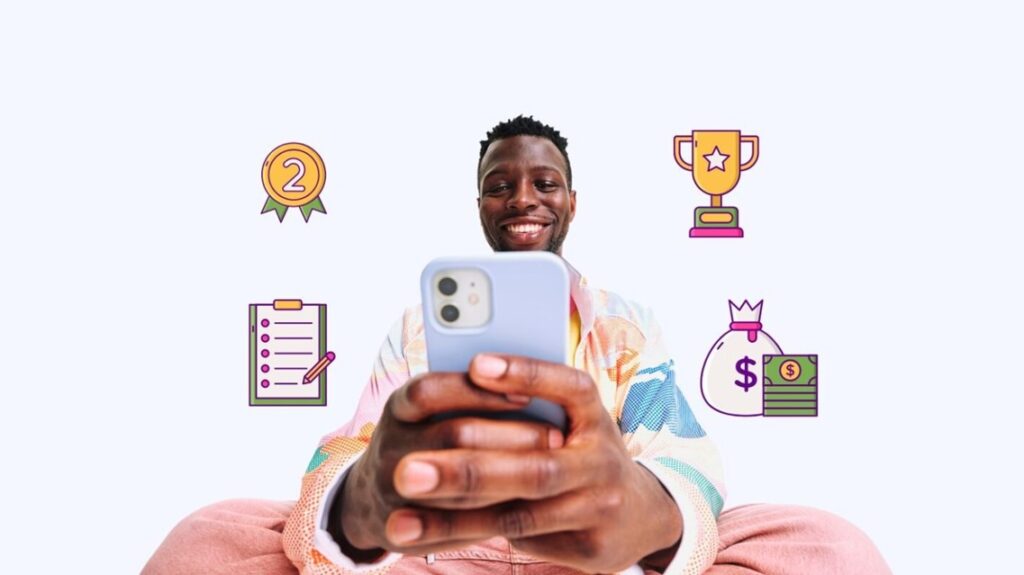
Humans are fond of rewards, no matter how small they are. That is the psychology behind the growing popularity of gamified elements in apps. Even a little progress – like filling up a tracker or earning a badge – can make a routine task feel all the more enjoyable.
It is why apps beyond gaming—such as workout apps, budgeting tools, or productivity planners – are now integrating gamification for engaging the users optimally. These small wins can keep people motivated continuously & they would keep returning to the app, rather than abandoning it after just a few days of using it.
For instance, apps like Duolingo use daily streaks, progress bars, & point systems in order to keep users motivated all the time. Even if you are just completing a single language lesson per day, that great sense of continuity is all the more rewarding.
Tactile Interactions Make It Real
Beyond visuals, mobile devices also offer tactile feedback. A gentle vibration, a sound, or a kind of fluid animation can largely reinforce the action you just took. That confirmation goes a long way in improving the overall usability.
It reassures the user: yes, your tap was registered. Instead of second-guessing, users feel completely confident—and that builds the level of trust in the app experience.
When tactile feedback is paired with gamified elements, the results are indeed powerful. You not only see your progress; you also feel it at your fingertips. This is especially effective in apps that are used daily – think of health trackers or study planners. Every tap that results in a satisfying buzz or animation usually contributes to a feeling of progress.
Why All This Matters for Mobile Design?
In the present times, most apps come with sleek designs which consists of nice fonts, clean layouts, & attractive color palettes. That is expected. But what sets great apps apart is how they feel during the everyday use.
Designs that seamlessly respond, reward, & react create a far better experience without needing any kind of complex features. Users begin to enjoy using the app—not because they have to, but because they want to.
A good example is the meditation app Headspace. While the content is serious & relaxing, the UI is made playful & warm. Transitions are absolutely smooth, characters are animated, & actions produce small sounds or motions. It creates a calming yet responsive interface that feels crafted with care.
A Simple Example: The Thimble Game
Let us take the example of the Thimble game. You open it & instantly get to know what to do – pick one of three thimbles hiding a prize. There is no tutorial required, and also no clutter.
Its magic lies in its simplicity. A tap triggers a quick animation, a little sound, & immediate results. You are not waiting around or navigating endless menus. Just pure interaction is the key to a delightful customer experience.
Here are what designers can learn from it:
- Clear intent – When the intent is clear, the app users thoroughly understand it instantly.
- Instant feedback – With instant feedback, every action gets a clear reaction.
- Quick flow – It fits into real-world usage, like waiting in line or commuting.
It is a proof that engaging design does not require complexity at all. A smooth rhythm & reactive feedback loop is enough to keep users coming back.
Key Takeaways for Designers
Several apps have mastered this concept by creating User Interfaces that respond seamlessly. Animations are very smooth & polished, progress is clearly displayed, & users can quickly find what they need without any unnecessary friction.
No matter whatever is your app’s purpose—be it learning, shopping, or organizing—these design principles apply:
- Make even the smallest actions feel very rewarding for the users.
- Always offer visual or tactile feedback.
- Keep the experience for the users fast & intuitive.
- You ought to allow users to jump in & out without losing track.
You are not turning your app into a game. You are borrowing the best parts of gameplay to make your product all the more engaging.
When Gamification Crosses the Line
That said, not every attempt at gamified design works successfully all the times. When done poorly, it backfires also at times.
Here’s what you can avoid:
Too Much of Everything
Excessive animations, sounds, & flashy graphics in every tap can quickly feel like overkill. They end up interrupting the flow & annoy rather than delighting the app users.
Overuse of Rewards
Adding points, badges, leaderboard, & streaks all at once creates some unnecessary complexity. Users end up spending more time understanding the mechanics rather than achieving what they opened the app for.
Heavy Tactile Responses
Vibrations & haptics are very powerful – but only when they are used sparingly. A light tap confirmation is welcome. A loud buzz every time? Not so inviting all the time.
Gamification should ideally enhance the overall user experience, and not hijack it under any circumstances.
A Balanced Approach to Gamification
The key to effective gamification is nothing but maintaining the right balance. Not every action needs a reward. Instead, you should focus on reinforcing meaningful progress.
For instance, a to-do list app could offer a satisfying animation when a task is marked complete – but you should make it a point to skip the same confetti for smaller updates. The reward should match the intent & effort of the app user.
You should also consider your audience and keep their profile in mind. A finance app that is targeted at professionals does not necessarily need cartoon-style animations or loud buzzes because you are targeting grown-up individuals. But displaying elements that indicate subtle progress tracking, clear milestones, & responsive interactions can still gamify the experience in a very tasteful way.
Real-World Application: Design Beyond Aesthetics
Gamified UI & tactile design principles are not merely trends; they represent a major shift in how we think about user engagement.
Let us consider Google Fit. The app tracks your physical activity & offers gamified goals, encouraging users to move more. It also uses very smooth animations & progress rings to visualize levels of achievement. The tactile feedback when a goal is hit adds a sense of satisfaction & keep alive the motivation level of the users.
The same can be said for habit-building apps like Habitica, which gamify your daily tasks & turn self-discipline into a fun, RPG-style experience. It is a great example of how design can turn something mundane into something altogether memorable.
What the Future Holds?
Looking ahead, the combination of gamified UI & tactile design is set to become the new standard in mobile design. With several wearable techs, haptics, & AI, the possibilities for creating the most responsive, intuitive interactions will only grow with time.
But you should keep this in mind that the principle remains the same: treat your users like participants, not just end-users. Make their every interaction feel acknowledged, guided, & satisfying.
The apps that succeed in the long term will be those that blend utility with delight for the users. Because in a crowded digital world, how something feels often matters just as much as what it does.
Conclusion
You do not have to turn every app into a game, but taking cues from game design – like interactivity, feedback, & satisfaction – can go a long way in making your app feel all the more engaging & rewarding.
Because when your app feels good to use, users do not just tolerate it—they enjoy it.
Frequently Asked Questions (FAQs)
Q. What do you mean by gamified UI?
Ans. Gamified User Interface (UI) uses carefully innovated design elements from games – like rewards, animations, or progress bars in order to make apps more fun & all the more engaging.
Q. Why does tactile design matter a lot?
Ans. Tactile design gives instant feedback through sounds or vibrations, helping users feel that all their actions were successful.
Q. Do I have to build a game to use gamification?
Ans. Not at all. Even non-gaming apps benefit from these techniques. It is about making the user experience all the more enjoyable.
Q. What happens if I go overboard with gamification?
Ans. Excessive animations, sounds, or “game-like” layers can make an app feel very cluttered & distracting for the users, turning a smooth experience into a frustrating one.
Q. How can I apply gamified UI to non-gaming apps?
Ans. You need to focus on rewarding user actions, offering clear feedback, & designing for short, satisfying interactions. You may ideally use progress tracking, achievements, & subtle haptic responses to enhance user engagement.